gr8r-studio
Gr8r Studio: a calm, structured project management workspace. Vite + plain ES modules.
README
Open on GitHub ↗Gr8r Studio
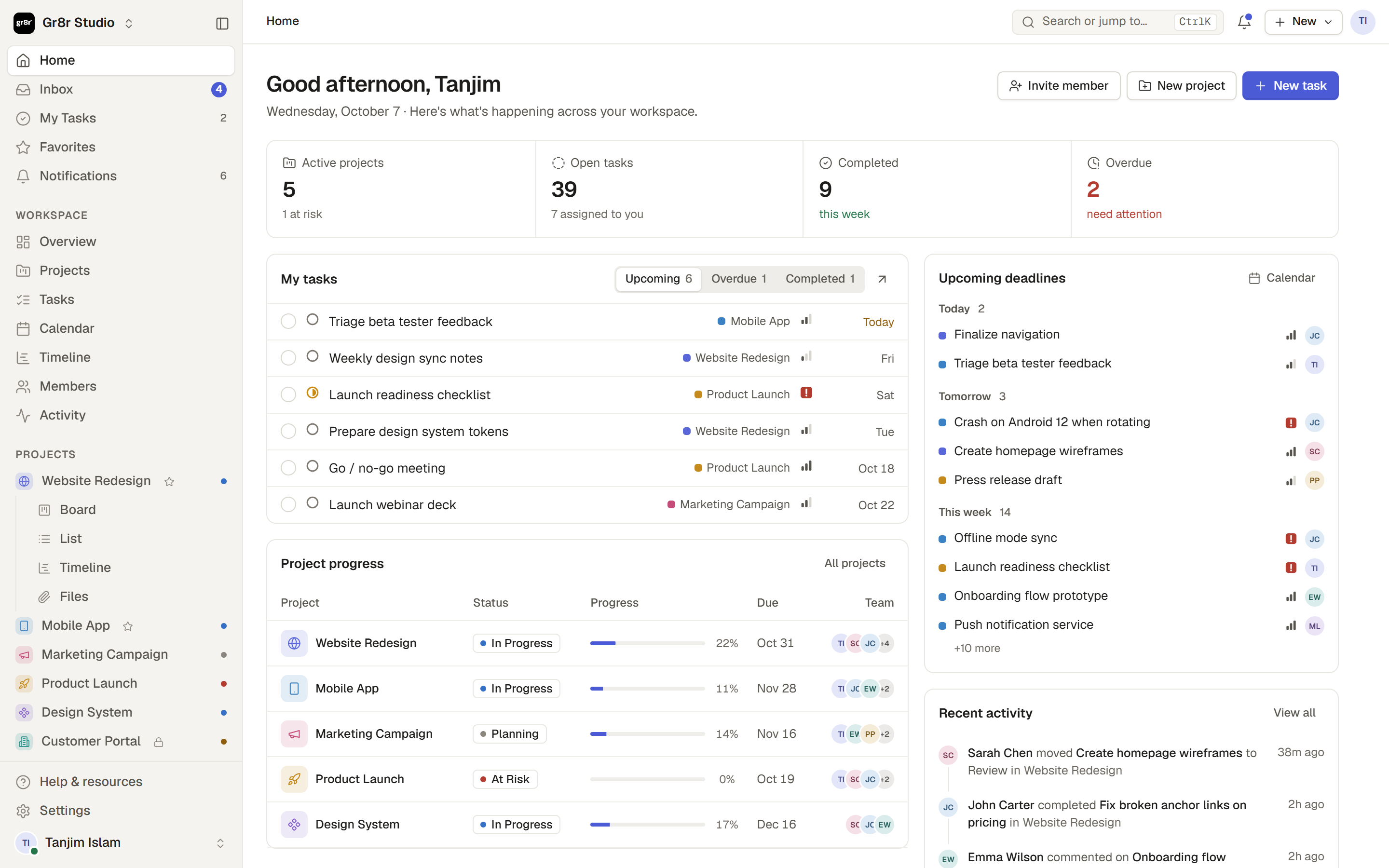
A calm, structured project management workspace: home dashboard, inbox, my tasks, projects with
board / list / table / calendar / timeline / files views, members, teams, activity and settings.
Built with plain JavaScript ES modules and CSS, bundled by Vite. There is no
UI framework and no runtime dependency.
This copy
This repository is a personal copy of gr8rstudio/gr8r-studio.
It has these changes:
- The app starts with an empty workspace. This copy does not include the sample data.
- Settings > Workspace > Backup saves all data to a file and restores data from a file.
- The build uses relative paths. As a result, the app works on GitHub Pages.
- A web app manifest and two icons let a browser install the app.
.github/workflows/deploy.ymlpublishes the app to GitHub Pages after each push tomain.
Where the data is
The app has no server. It keeps all data in the local storage of the browser, under the key gr8r.v2.
Each browser has its own data. Each web address has its own data.
CAUTION: Download a backup before you clear the site data of the browser. The browser deletes all
projects and tasks when it clears the site data.
Getting started
Requires Node.js 18 or newer (.nvmrc pins 22).
npm install
npm run dev       # http://localhost:5173 with hot reload
npm run build     # production build in dist/
npm run preview   # serve the production build locally
npm run lint      # ESLint
npm run format    # Prettier
Project structure
index.html              HTML entry; loads src/main.js
public/favicon.svg      brand mark
vite.config.js          Vite config, including the Lucide icon-subset plugin
eslint.config.js        lint rules (ESLint flat config); formatting by Prettier (.prettierrc.json)
.github/workflows/      CI: lint, format check, build
docs/preview.png        README screenshot
src/
  main.js               entry: imports styles and modules, then boots the app
  styles/
    index.css           imports every stylesheet in cascade order
    tokens.css          colours, spacing, type, radius, the shared --gutter
    base.css  components.css  shell.css  panels.css  overlays.css  states.css  motion.css  responsive.css
    views/              list, board, table, calendar, timeline, projects & files
    pages/              settings, auth & onboarding
  core/                 utilities, constants, icons, store (state + lookups), theme
  data/seed.js          starting data (an empty workspace)
  ui/                   shared render helpers, toasts, the select dropdown
  shell/                render loop and router, sidebar/topbar layout, skeletons, view engine
  components/           task list renderer
  pages/                one module per route
  views/                project views: board, table, calendar, timeline, files, overview
  overlays/             task drawer, modals, popovers, context menu, command palette
  features/             teams, subtasks, archive (rendering)
  actions/              user actions, event wiring, keyboard shortcuts, drag and drop
Layers
Dependencies point downward:
core/anddata/depend on nothing else in the app.ui/,shell/,components/,pages/,views/,overlays/andfeatures/render HTML from state.actions/change state and re-render. Each action module registers its handlers on the
shared action table (A) when it loads, somain.jsimports them afteractions/actions.js.
Conventions
- Rendering: each page or view is a function that returns an HTML string from the store
(S).render()rebuilds the shell and keeps focus and scroll positions. - Interactions: elements declare
data-a="actionName".actions/events.jsdelegates the
click toA.actionName. Inputs usedata-in, blur handlers usedata-blur. - Layout: every page edge uses
var(--gutter), so the breadcrumb, page header, toolbar,
list, table and board start on the same line. - Dropdowns: write a normal
<select class="select">.ui/select.jsrenders it as the
design-system menu and keeps the native element as the source of truth. - Icons: call
ic('name')with any Lucide icon name. Thevirtual:iconsplugin bundles only the icons the source uses.
Continuous integration
Every push and pull request runs lint, the format check and a production build
(.github/workflows/ci.yml). Every push to main also publishes the app to GitHub Pages
(.github/workflows/deploy.yml).
Deploy
vercel.json builds with Vite and serves dist/.