atom-editorconfig
Helps developers maintain consistent coding styles between different editors
README
Open on GitHub ↗EditorConfig


EditorConfig helps developers maintain consistent coding styles between different editors.
"I will take a peanut butter sandwich on white bread" -- Ralph S. Mouse
Install
$ apm install editorconfig
Or, Settings → Install → Search for editorconfig
Getting started
See the EditorConfig documentation for a detailed description of the .editorconfig file format.
- Open a project containing an
.editorconfigfile. - Whenever you open a file in the project (or change any
.editorconfigfile from within Atom),
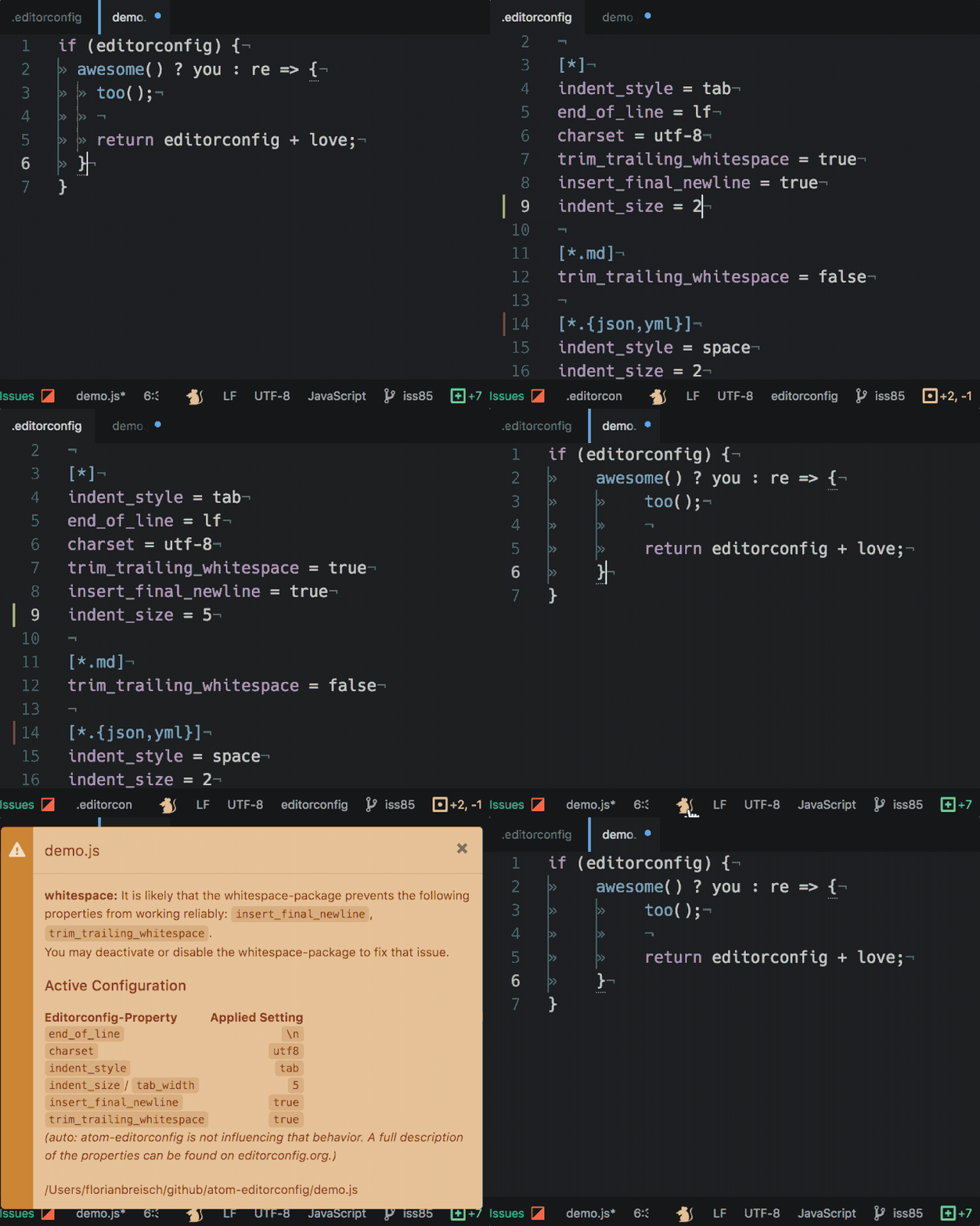
EditorConfig evaluates the EditorConfig settings for the current file. - EditorConfig then applies these settings to your current editor pane.
Any change you make from now on will follow the EditorConfig settings.
EditorConfig does not automatically fix older files it considers as malformed. - You can always check your EditorConfig settings against the current file using the
EditorConfig: Show Statecommand.
You can try to fix malformed files using the commandEditorConfig: Fix File.
:bulb: If EditorConfig detects any issues which may prevent it from working properly a :mouse: will appear in the status bar; click on it to open the state notification.
:warning: EditorConfig will not automatically fix malformed files (e.g. change all soft tabs to hard tabs) -- you need to use the
EditorConfig: Fix Filecommand on each malformed file. Keep in mind that malformed files (especially mixed tab characters) may lead to unexpected behaviour.
Supported properties
rootcharsetend_of_lineindent_styleindent_size/tab_width(indent_sizetakes precedence overtab_width)insert_final_newline(setting this tofalsestrips final newlines)max_line_lengthtrim_trailing_whitespace
:bulb: Any malformed or missing property falls back to
unsetwhich leaves the control to Atom.
:warning: Atom does not support CR line-endings. When
end_of_lineis set tocr, EditorConfig will respect the setting when saving files, but their contents will appear to be squashed onto a single line.
EditorConfig commands
EditorConfig: Fix File: Fixesindent_styleandend_of_lineissues for the current editor.EditorConfig: Fix File Quietly: Same asFix File, except no feedback is displayed after fixing.EditorConfig: Show State: Shows the current state of EditorConfig for your current editor.EditorConfig: Generate Config: Generates an initial.editorconfigfor your project.
Features
- Applies the settings from your
.editorconfigfile - Ability to fix
indent_styleandend_of_lineissues - Syntax highlights
.editorconfigfiles (now with specification-like case insensitivity) - Lint
.editorconfigfile - Ability to generate an
.editorconfigfile based on the current settings - Displays a nifty :mouse: in the statusBar whose color shows you if EditorConfig faces any problems
- Clicking on the :mouse: invokes the
Show Statecommand for you - Recognizes if you save any
.editorconfigfile and reapplies all settings to all opened editor-panes
Example file
root = true

[*]
indent_style = tab
indent_size = 3
end_of_line = lf
charset = utf-8
trim_trailing_whitespace = true
insert_final_newline = true

[*.{json,yml}]
indent_size = 2

[*.md]
trim_trailing_whitespace = false
Changelog
See changelog.md.
Troubleshooting
We're sorry to hear you're having trouble using atom-editorconfig!
Please bear some caveats in mind:
- Why isn't EditorConfig applying the indentation character to my files?
EditorConfig is not intended to do so; it will apply the indentation char only to new indentations.
You may try to fix indentation issues with theEditorConfig: Fix Filecommand. - Why is
indent_stylenot working?
You can set Atom's config setting "Tab Type" to eithersoftorhard, this prevents EditorConfig from influencing the indentation style.
Set Atom's "Tab Type" toautoto allow EditorConfig taking control over the indentation characters. - Why is feature X not working?
Some other packages (e.g. thewhitespacepackage) override the EditorConfig settings.
In these cases, we try to alert you about confirmed interferences and suggest that you try disabling the other package.
If you face any unreported issues, please let us know.
:bulb: You can check how EditorConfig affects your current file by invoking the
EditorConfig: Show Statecommand. If EditorConfig detects any issues which may prevent it from working properly it displays a :mouse: in the status bar; clicking on it opens the state notification (like theShow Statecommand).
Help us get better
We would be happy to hear from you -- please report any feedback, issues or ideas.
Thank you! :gift_heart:
:gift_heart: We thank our contributors for their amazing work to make Atom support editorconfig!
Maintainer
Alumni
License
MIT © Sindre Sorhus